Log in
Let me log in myself, then carry on.
A page needs your account and a second step to sign in, and the agent should never see your password.
Illustrative conversation
YouOpen a visible browser on the sign-in page and wait while I log in.
Tool callbrowser_start { "browser": "chromium", "env": { "HEADLESS": "false" } }
Tool callbrowser_navigate { "browserId": "<id>", "url": "https://dev.example.test/login" }
What happensA browser window opens on the sign-in page. You type your credentials in it.
YouDone, I am in.
Tool callbrowser_storage_state { "browserId": "<id>", "filename": "signed-in.json" }
AgentYou are signed in. I saved the session so a second browser can reuse it.
The browser window shows the sign-in page, and you type your credentials into it yourself.
Record flow
Watch me do it once, then repeat it.
You know a flow by heart but find it tedious to describe, so you would rather show it.
Illustrative conversation
YouI will show you the checkout flow. Start recording.
Tool callbrowser_start_recording { "browserId": "<id>" }
What happensYou click through the flow in the visible browser.
YouThat is it.
Tool callbrowser_stop_recording { "browserId": "<id>" }
AgentI captured eleven actions as Playwright code. Want me to run them against the staging site?
Report pages
Open the portal and report what is on it.
You want to know what each page of the portal shows, with pictures you can look at.
Illustrative conversation
YouWalk through the portal pages, report what each shows and save screenshots.
Tool callbrowser_navigate { "browserId": "<id>", "url": "https://dev.example.test/docs" }
Tool callbrowser_take_screenshot { "browserId": "<id>", "filename": "docs.png" }
What happensThe screenshot is published as a resource; the reply carries its address, not the image.
AgentThe docs page lists thirty components in four groups. Screenshot saved as docs.png.
Two engines
Run the same check in Chromium and Firefox at once.
A page must behave the same in both browser engines, and you do not want to repeat every step twice.
Illustrative conversation
YouOpen this page in Chromium and Firefox, compare them, and give me a screenshot from each.
Tool callbrowser_group_create { "groupId": "comparison", "browserIds": ["<chromium-id>", "<firefox-id>"] }
What happensThe two browsers are now one group.
Tool callbrowser_group_call { "groupId": "comparison", "tool": "browser_evaluate", "args": { "function": "() => navigator.userAgent" } }
What happensEach browser answers with its own identity; summary total 2, ok 2, errors 0.
Tool callbrowser_group_call { "groupId": "comparison", "tool": "browser_take_screenshot", "args": { "type": "jpeg", "filename": "cross-engine.jpg" } }
What happensTwo files come back, cross-engine-<chromium-id>.jpg and cross-engine-<firefox-id>.jpg; summary total 2, ok 2, errors 0.
AgentBoth engines loaded the page and I saved one screenshot from each. Two successful calls do not prove identical pages, so compare the images.
Viewports
Test the layout at different viewports.
You are building a responsive page and want to see it at phone, tablet and desktop widths.
Illustrative conversation
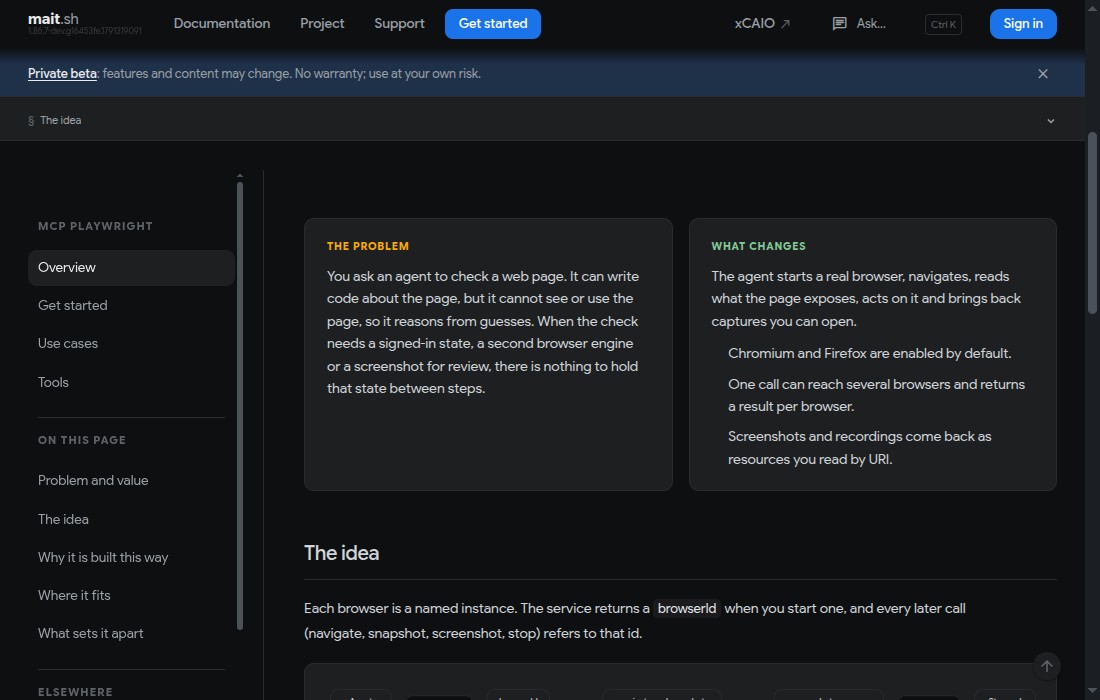
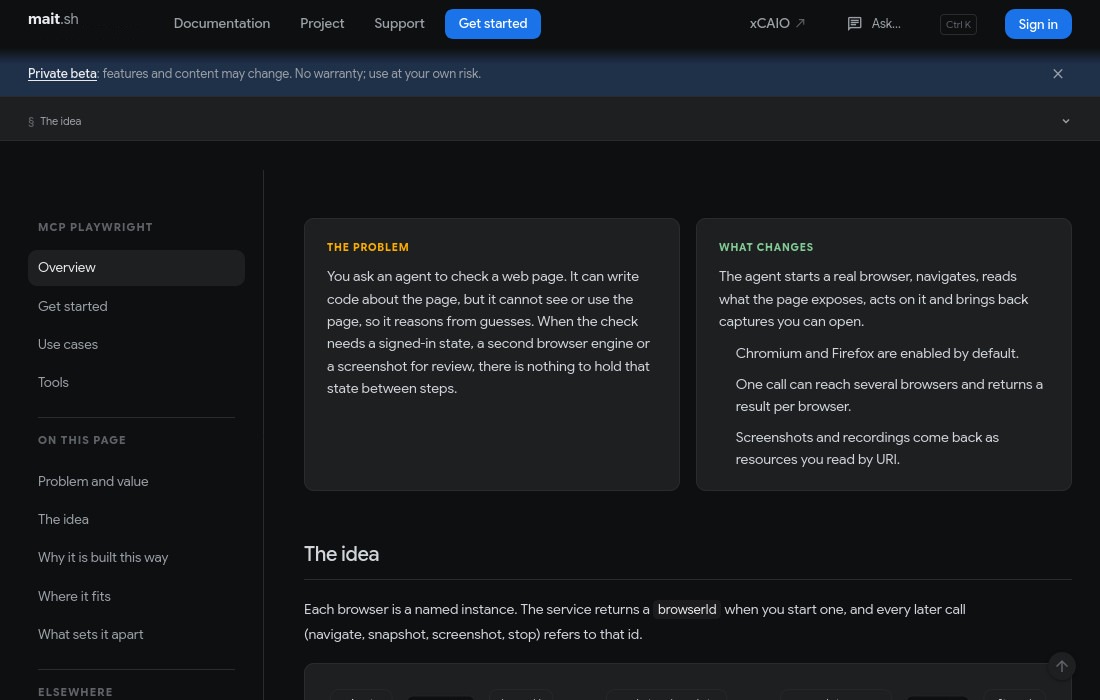
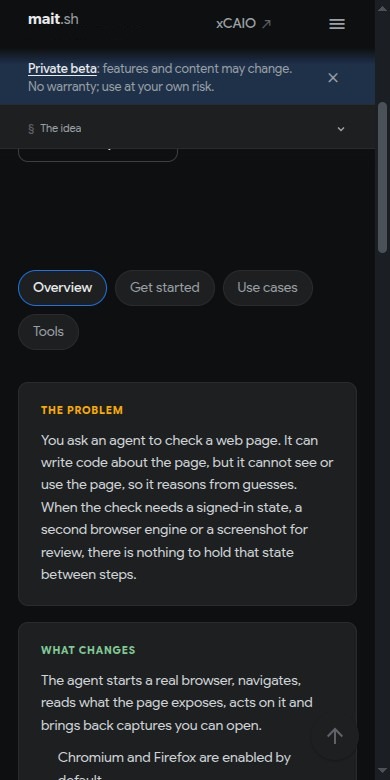
YouCheck this page at 390, 820 and 1280 pixels wide and screenshot each.
Tool callbrowser_resize { "browserId": "<id>", "width": 390, "height": 780 }
Tool callbrowser_take_screenshot { "browserId": "<id>", "type": "jpeg", "filename": "viewport-390.jpg" }
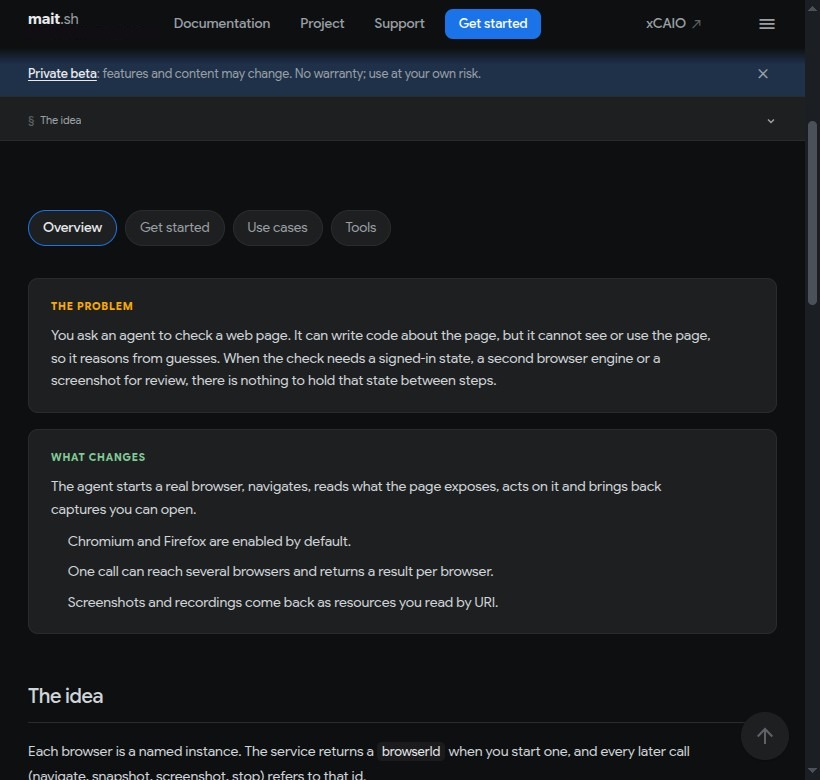
Tool callbrowser_resize { "browserId": "<id>", "width": 820, "height": 780 }
Tool callbrowser_take_screenshot { "browserId": "<id>", "type": "jpeg", "filename": "viewport-820.jpg" }
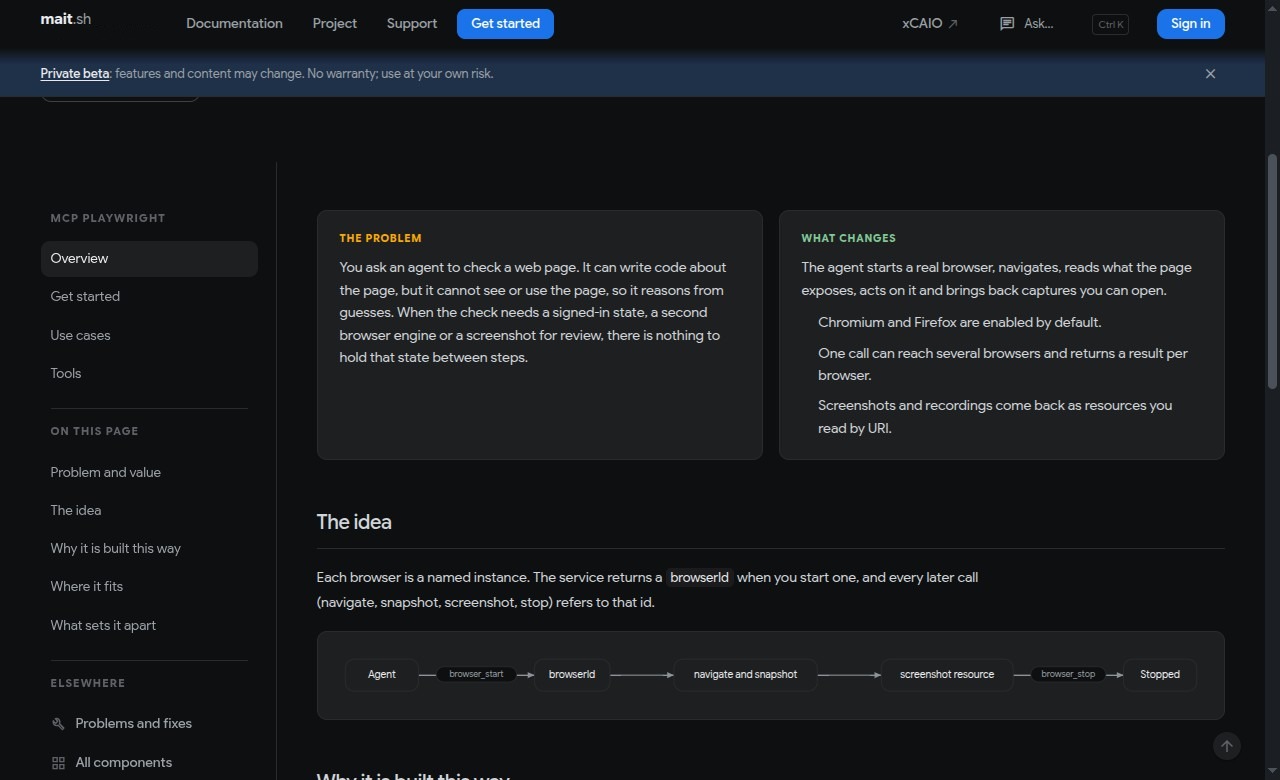
Tool callbrowser_resize { "browserId": "<id>", "width": 1280, "height": 780 }
Tool callbrowser_take_screenshot { "browserId": "<id>", "type": "jpeg", "filename": "viewport-1280.jpg" }
What happensOne image per width is published as a resource.
AgentI saved viewport-390.jpg, viewport-820.jpg and viewport-1280.jpg. Want me to read the page at each width and list what changes?
Video
Record a video of the run.
You need a recording of what the agent did, for a review or a bug report.
Illustrative conversation
YouRun the flow and record a video with a chapter for each step.
Tool callbrowser_start_video { "browserId": "<id>" }
What happensVideo recording started.
Tool callbrowser_navigate { "browserId": "<id>", "url": "https://dev.example.test/docs/use-cases" }
Tool callbrowser_video_chapter { "browserId": "<id>", "title": "Use cases page" }
What happensChapter 'Use cases page' added; a chapter card appears in the recording.
Tool callbrowser_stop_video { "browserId": "<id>" }
What happensOne video resource per open page is published (.webm).
AgentThe recording is saved as a resource. Open it and check its length before you share it; videos can contain private page content.
Live changes
See changes land live, and steer them.
You are shaping a front end with your agent, and a screenshot after every edit would cost tokens and slow you down.
Illustrative conversation
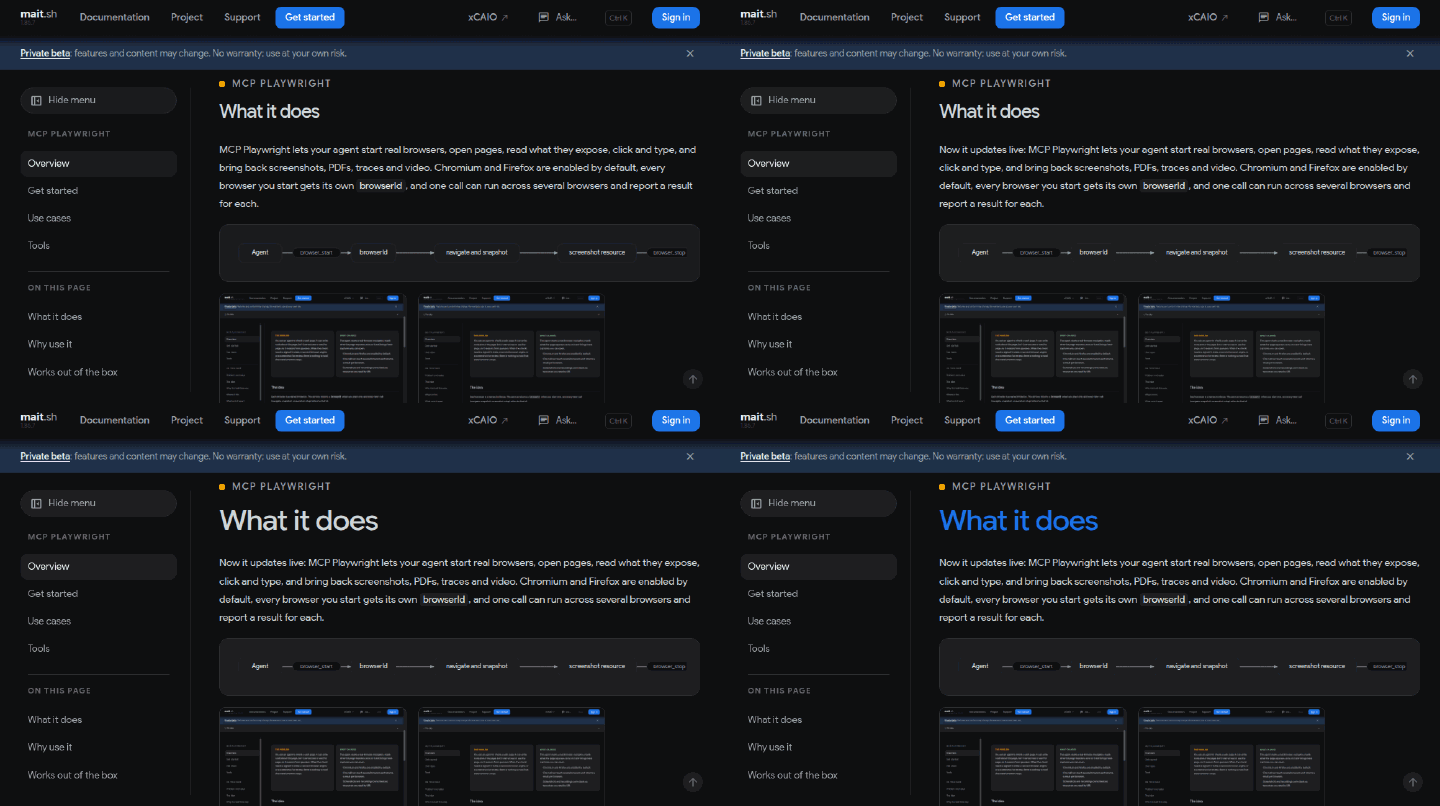
YouRoute the portal to my dev server, open a visible browser and change the heading while I watch. Ask me after each change.
What happens
aide route set-external portal --port 3000 points the Service at your dev server.Tool callbrowser_start { "browser": "chromium", "env": { "HEADLESS": "false" } }
Tool callbrowser_navigate { "browserId": "<id>", "url": "https://dev.example.test" }
What happensA browser window opens on your dev server, served over HTTPS.
AgentI will start with the wording.
What happensThe agent saves the edit and the text on the open page changes by live reload.
AgentIs that the wording you want?
YouYes, but make the heading bigger.
What happensThe heading grows on the open page as the agent saves.
AgentBetter? I can try a stronger colour next.
YouMake it blue.
What happensThe heading turns blue.
AgentDone. Keep this one?